duminică, 4 noiembrie 2012

My favorite ( top 10 ) romanian #edtech #startup tools at #howtoweb 2012

Because this year I became a Social Media Curator http://bit.ly/LucianCurator who really want to implement Curation Restart Education Project http://bit.ly/credproject and still I will launch a platform for it I decided to describe here in my blog top 10 edtech startups and in the same time to follow online many worldwide global events and after to post and describe here in my blog my top 10 startups presented at the event . In one of my previous posts I describe my top 10 startups al Leweb 2012 http://bitly.com/lewebstartups . Now I want to congratulate Bogdan Iordache who make from How to Web one of the biggest Social Media event in Romania . Please leave a comment and write what you think about next edtools and about How to Web .


How to Web is top event for European tech innovators organized this year at Bucharest Teach Fast http://techfeast.co/ along with Startup Weekend Romania http://romania.startupweekend.org/ . Follow practical case-studies, discover how tech innovation changes the world, meet your peer tech entrepreneurs and professionals from all around Central and Eastern Europe. You can view a full list of How to Web 2012 speakers here http://2012.howtoweb.co/speakers/ . This year they also organized a startup competition and they selected 30 finalist teams http://blog.howtoweb.co/2012/10/how-to-web-startup-spotlight-2012-finalists/ . I am verry happy to see many gr8 romanian edtech startups in the list according to How to Web and for this reason next I will describe my top 10 romanian startups .


1.snipdocs is startup curation tool to share knowledge using a web application applying semantic search and visual bookmarks to help users build documents for research, work, or casual topics. Paid content is being offered directly within the platform to provide high quality results . Take any excerpt from any digital source and store it in virtual documents. Structure and edit your collected bits and pieces to your personal liking. Invite others to help you collect and curate the contents of your snipdocs documents.


2.JotPot’s mission is to take the traditional notebook and backpack to a whole new level by putting them online. It relies on the fact that more and more students leave their pencil and paper at home, in favor of using their laptops or iPads during classes. I believe that many more might switch if they actually had the right tool to take notes effectively on their laptops.
What you can do with JotPot ?
Take notes in an online notebook.
View your course slides.
Take notes side-by-side with the slides.
Interact with your colleagues.
Organize your university life.
And the best part? It’s FREE for any student to use!
You can read more and donate for the startup here http://www.indiegogo.com/jotpot

3. docTrackr was created by people who value privacy to prevent large enterprise/cloud providers from owning your data. docTrackr care about sharing ideas the right way. Putting all your documents into the cloud can mean losing ownership. docTrackr was built to make sure you control your data, you make choices about who can use it and that you have complete ownership of your files.
At docTrackr, you have the control to your documents and make it easy to do that. You shouldn't have to fight with a complicated interface either, to know your documents are safe. Consider docTrackr a friend who safeguards your files, assuring them safety, security and when you want access, gives you an easy way to access any of your files quickly and privately.
4. Treeach is an online platform that connects innovative independent language teachers all around the world with people all ages who are eager to learn. At Treeach, we believe that creative and independent education can change things, helping us as society to think broader, to be different and to be able to step out of our comfort zone. Therefore, Treeach was created as an alternative website where authentic teachers can offer their services to hold private or group classes in their own communities or to teach online anyone in the world.
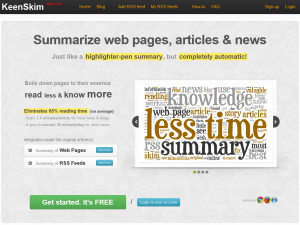

5. KeenSkim - Summarize web pages, articles & news
Just like a highlighter-pen summary, but completely automatic!The problem
Information exhaustion - too much information, too little time.
But also too important to disregard!
Whether you're and innovator, a decision-maker or a student, being up-to-date equals succes.
The KeenSkim fix
Skim the summary - KeenSkim creates for you a brief summary of the relevant bits in the storyGives you colored highlights inside the original page, for fast & easy reading the summary.
How it works
Gremlin technology - we finally managed to put those little buggers to good use!Best results on stories. Not so well on lists, tops, tutorials and interviews. But we're getting there!


6. TribeGarden enables collaborative lifestyle for co-workers, neighbors and students, offering tools for buying and time sharing management. How ?
Express your need ;
Share the need within your community via Facebook, Google+ or Twitter.
Contribute Fund with your community.
Enjoy Use the new acquisition with the other contributors


7. Nexi.me helps you find talented candidates through referrals from your employeesHere's why:
Find more talents through social media
Your employees are the best ambassadors for your company. They'll be happy to share the available jobs on their social networks and help their friends get hired. They help you find talented people.
Effectively identify ambassadors
Get notified when referrals are turned into candidates and easily find out who is the best ambassador in your company. Finding the right people involves using the right network to reach them.
Analyze the referral relationship
Understand how connected are your employees to your candidates. Have they worked together in the past? What's the rate of your candidate? Top 15? Top 3?. 

Simbound is One e-Marketing simulation game with So many learning opportunities .Practice online advertising
Learn Industry Metrics
Test ideas in a safe environment
Collaborate with learners from across the world 
Enjoy a game-like experience
BrainRomania is a beta platform, new professional network for researchers and teachers .

Trilulilu launch Zonga - unlimited music always with you

Welcome in the New Tech Age http://bitly.com/credinclassroom20bookproject where Curation is Social Media King http://bit.ly/CurationKing tell you Lucian a normal teacher who work a lot to became Social Media Curator http://xeeme.com/LucianeCurator ; http://www.scoop.it/u/web20education Now I want to implement Curation Restart Education Project http://bit.ly/credproject ; NEW http://bit.ly/credinclassroom20bookproject and for this reason I invite you to join and collaborate and follow http://twitter.com/web20education ; like http://web20education.bo.lt/credprojectfacebookpage. and get free our mLearning app http://web20education.bo.lt/credapp . Kindly I invite to read all my blogs daily http://bitly.com/bundles/web20education/1 and Subscribe free to my research blogs http://bitly.com/feededtech20blogs . I write weekly in my 1st research blog about top 10 tools http://bit.ly/myresearchblog , In my curation Blog http://bit.ly/curationblog I write daily about startup curation tools : I also write in http://bit.ly/startup4edublog about startup edtools and apps and here I describe mLearning ipad apps http://bit.ly/mLearningblog . Thank you http://bitly.com/LucianeCuratorPortofolio 


miercuri, 19 septembrie 2012

Top 10 Big #eLearning eNews for #backtoschool 2012 who can make you #socialmedia #Curation addicted #edtech20 #pln

                            
Dear friends today I plan to write about top 10 edtools for back to school 2012 in Curation Restart Education Project http://bit.ly/CredProject , https://twitter.com/web20education but I find this news this days and I want to share with you all,before I will describe 10 startup edtools and apps for #backtoshool 2012 .What news do you say is more interesting from top 10 and why ? Please leave comments and feed-back and I will promise you that this blog will offer in the future tools and apps who can open gateway through knowledge for teachers worldwide .Stay tune because I will describe also next weeks top 10 free startups who organize COURSES and MOOCS free in XXI Century Education education and every week I will blog top 10 edtools  .
Because GlogsterEDU invited me this year at Intel Teach Essentials in Prague http://bit.ly/prgesentials  I decided to make a glog where I describe 10 startup tools / appss . 
Now I want to invite you to see in my this glog last features and also please read on GlogsterEDU blog http://blog.edu.glogster.com/ last features for the best edtool for Creative Learning who just launch http://changedu.org/ Initiative and next features : 
· The Next-Generation Glog with mobile HTML5 - view Glogs on your iPad or any other HTML5-ready device.
· New dashboard design with Glog selection - "Simplicity" has been the motto; designing an interface that is user-friendly for all.
· New options when creating Glogs: 1 blank Glog and 4 basic templates for teachers to choose from - Start with a blank Glog, or choose one of the prepared templates.
· Glogpedia K12 library with Re-Glog templates & new categories - Filter by "Discipline" and "Subject" to get inspired.
· (Premium only) Unlimited access to new Glogpedia Library - 100s of templates and ideas ready for customization.


TNW Academy is the new online education and training chapter of The Next Web and offer free and paid online courses, covering everything from online marketing, and intuitive design to Q&A sessions, with well known entrepreneurs, who will share their knowledge and experiences . You can sign up for free online courses here http://thenextweb.com/academy/


1. EdFuture.Net Current/Future State of Higher Education . 

An Open Online Course.
In countries around the world, the transition to knowledge and service economies occurring rapidly. Competitive countries are no longer only those that have an abundance of natural resources, but also those with a highly educated populace. Higher education is increasingly recognized as a vehicle for economic development .
University leaders are struggling to make sense of how internationalization, the current economic conditions, and new technologies will impact their systems. Educators are uncertain of the impact of open educational resources, alternative accreditation models, de-professionalization of academic positions, and increased grant competitiveness. What is role of the academy in increasing national economic competitiveness while preserving the “vital combat for lucidity”  that defines an open democratic society .
This open online course will:
Explore the scope of change pressures that impact higher education systems globally
Detail how technology is impacting educational practices within higher education institutions
Consider how networks and digital technologies are influencing the balance of power in education and the expectations of the autonomous self-regulated learners driving the power-shift
Evaluate the impact of entrepreneurial and commercial activity in all levels of education: curriculum development, teaching, research, and accreditation
Detail how “big data” and analytics are impacting teaching, learning, and organizational decision making
Analyze and explore the new, distributed, leadership models being utilized by senior administrators
Evaluate how faculty and teaching practices are being impacted by new technologies and new teaching practices
Detail the impact of current economic conditions and globalization on the academy
Describe how the most innovative universities from around the world are responding to change pressures

Audience:
Different weekly topics will appeal to different audiences. Broadly, the course will be of interest to university administrators, faculty members, researchers, business leaders, students, government officials, and NGO’s that are active in higher education
Weekly Topics:
Change pressures: What is influencing higher education? (Oct 8-14)
Net pedagogies: New models of teaching and learning (Oct 15-21)
Entrepreneurship and commercial activity in education (Oct 22-28)
Big data and Analytics (Oct 29-Nov 4)
Leadership in Education (Nov 4-11)
Distributed Research: new models of inquiry (Nov 12- 18)
Weekly Format:
Each week will include readings, videos, and recommended activities. Live weekly presentations (2-3 each week) will be held with guest speakers.
The content will include peer-reviewed articles that articulate the landscape of educational change. Interactive activities will be included each week to give participants an opportunity to evaluate their understanding of the weekly content.
Course participants will also engage in recommended weekly activities (artifact creation and sharing) to contribute to the knowledge base of the weekly topic
Follow on twitter Course Hashtag: #CFHE12


2. Class2Go from Stanford University offering two free courses to the world: Computer Networking with Nick McKeown & Philip Levis and Solar Cells, Fuel Cells, and Batteries with Bruce Clemens.
 Here's what you will like about Class2Go:
Videos from Stanford professors with interactive in-video quizzes give you a chance to learn from Stanford professors and then practice what you've learned. 
Formative and summative exercises built on the Khan Academy's exercise framework provide new formats for taking your learning to the next level. 
Frame extracting allows you to preview and navigate to specific parts of videos. Scroll through extracted frames underneath a video to quickly find what you're looking for. 
Love discussion forums? Class2Go added Piazza forums to get people talking. 
 What do we like about class2go?
It's open. The platform is open source so that anyone who wants to can collaborate with us. Class2Go organizers would love to have others use the platform, or to work together with similar efforts in other places. 
It's portable. They believe strongly that valuable course content shouldn't be tied to any one platform. Documents are already portable; the videos are outside our system (on YouTube) and the assets themselves can be repurposed as faculty see fit. And many exercises and problem sets, instead of being trapped in a proprietary database, are in the Khan Academy format, so they can be used elsewhere. 
It's interoperable. Many parteners from Khan Academy, Piazza, YouTube, MySQL, Python Django, Amazon AWS, Opscode, and Github. 


3. Google Course Builder!
Course Builder is a experimental first step in the world of online education. It packages the software and technology used to build Power Searching with Google online course. Google hope you will use it to create your own online courses, whether they're for 10 students or 100,000 students. You might want to create anything from an entire high school or university offering to a short how-to course on your favorite topic.Course Builder contains software and instructions for presenting your course material, which can include lessons, student activities, and assessments. It also contains instructions for using other Google products to create a course community and to evaluate the effectiveness of your course. To use Course Builder, you should have some technical skills at the level of a web master. In particular, you should have some familiarity with HTML and JavaScript.
Google Course Builder design process has four simple steps, which get iterated multiple times:
Plan before you start.
Before you get into the details of creating your course, take 30 minutes to think about the following areas and write down your answers. Eventually, you'll spend much more than 30 minutes on planning; this initial time is to get you oriented in the right direction on all aspects of your course.
Develop the content without technology.
In the first parts of development you expand on the information you determined during the planning phase. After that, you get down to deciding precisely what you want students to learn and how you’ll get them to do that. You create a detailed set of objectives, ways you'll evaluate whether your students met those objectives, and develop the content for lessons, activities, and so on. When you're finished with this step, you have a "mock up" of your course that you can show to others to validate its appropriateness and to use when you get down to writing software, recording video, setting up email lists, and so on.
Implement the course with technology.
The first iteration of the theoretical development is now done. Now, it’s time to "implement" it. During this phase, you write the text content of your lessons, create videos, and modify the Course Builder software to implement assessments and activities. You also set up your groups, organize online office hours, arrange for teaching assistants, and do all that other fun stuff.
Pilot with your target audience.
We strongly encourage you to pilot your course by having people go through the entire course before you release it to actual students. You may find, as we have, that a large percentage of your work comes after the first pilot, when you see how people actually interact with your material. Be sure to leave enough time to make the necessary changes you discover while piloting.


4. Google Teacher Academy . Don't forget deadline is October 4th
This year I want to apply to be a Google Certified teacher, but for this reason I need money ( someone to offer me a grant ) to pay my travel and my own lodging to attend GTA . If you know someone who can help me to paricipate in USA at GTA contact http://xeeme.com/Lucianecurator/
About the Academy
The GTA is a FREE professional development experience designed to help primary and secondary educators from around the globe get the most from innovative technologies. Produced by CUE, each Academy is an intensive, two-day event during which participants get hands-on experience with Google's free products and other technologies, learn about innovative instructional strategies, receive resources to share with colleagues, and immerse themselves in a supportive community of educators making impact. Here is how past participants have described the GTA:
“The whole Academy was mind-blowing!”
“I left with a far greater impression of how much more there is to learn and how little I have actually mastered - but at the same time encouraged that with the help of all the amazing talent out there in the Google community that I can make a greater impact as a teacher.”
“I learned about so many Google tools that I had never encountered before (Moderator, Ngram, Apps Script etc.) and developed my understanding of so many tools that I use daily.
"My everyday work was impacted instantly.”
“What an amazing community of new GCTs. It was a pleasure to listen to and share ideas with so many passionate educators”
Alumni: Google Certified Teachers Educators who attend a Google Teacher Academy become Google Certified Teachers (GCTs). GCTs are:
Outstanding educators with a passion for using innovative technologies and approaches to improve teaching and learning.
Creative leaders who understand opportunities and challenges, and have a desire to help empower others in their local community and beyond. Ambassadors for change who model high expectations, life-long learning, collaboration, equity, and innovation.After the GTA, GCTs are expected to:

Develop a "Personal Action Plan" outlining a project they will complete
Lead at least three local professional development activities over the course of 12 months.
Successfully deploy one school on to Google Apps for Education.
Actively participate in the GCT online community.
Share the impact of their work with other Google Certified Teachers through mid-year and end-of-year reflection.In addition to two free days of training, GCTs get:
Access to the GCT Online Community.
Opportunities to give feedback to Google on educational uses of tools.Invitations to join Google at special events.The right to post the GCT web badge on their website or blog.
Applicants
Approximately 50 innovative educators from around the world are selected to attend each GTA based on the merits of their online application. Applicants include classroom teachers, curriculum specialists, technology specialists, librarians, administrators, professional trainers, and other education professionals who actively serve the world’s primary and secondary teachers and students.Participants are selected based on their professional experience, their passion for teaching and learning, and their successful use of technology in school settings. GTA are particularly interested in educators who actively provide mentoring or training for other teachers.
Participants must provide their own travel, and if necessary, their own lodging. The GTA is designed to create a strong professional community of educators who support each other over the course of a year, so if you are not local, you must be willing to be resourceful with all technologies to facilitate communication and collaboration with your fellow Google Certified Teachers.

Application Requirements
All applications to the Google Teacher Academy must be submitted using  online form. GTA only accept applications submitted before the deadline. The application includes short answer questions and a video. The original one minute video must be on one of the following topics: "Motivation and Learning", "Classroom Innovation," or “Positive Change in My Community.” Be as creative as you like, but make sure you follow copyright laws. Once you create the video, you must post it on the Web to YouTube, then paste the specific URL for your video into the appropriate field on the application.They will not accept videos by email, and will not watch more than one minute of video. GTA realize that you may not have produced a video before and that you may not own video equipment, but we are confident you can find a way to meet this requirement. You do not need to be in the video, but please do not submit videos produced for another project or videos created by others. Do not include any copyrighted images, footage, or music.(For more information visit the copyright education site on YouTube.If you have applied to the GTA in the past you can reuse the same video if you wish.


5. Next Edu Guru launch by Youtube and KhanAcademy
YouTube Next EDU Guru is a development program providing training and mentoring to the next generation of educational content creators, from math whizzes to grammar buffs. Selected participants will take part in a special training camp, held in conjunction with the Khan Academy, at YouTube HQ in October 2012.Next EDU Guru is available in the US, UK, Australia, Canada, Ireland, and New Zealand. Read more about the program guidelines.


6. Wiziq Academic : Free WizIQ PRO Membership for K-12 and College Educators
 What do you get with your free membership?
Create and deliver courses
Create synchronous and asynchronous courses with tools designed specifically for teachers. Add compelling courseware with videos, PowerPoint presentations, Word documents, and PDFs. Deliver courses in the WizIQ Virtual Classroom and connect in real-time with students from anywhere in the world.
Enjoy all the premium features of WizIQ
Use the WizIQ Virtual Classroom to conduct live online classes, flip your classroom, hold office hours, or meet students online for regular discussions and homework help. Take full advantage of every WizIQ feature, including screen-sharing, polling, video-conferencing, shared whiteboards, and more.
Record and archive all your online classes
Your free account includes 15 GB of storage for class recordings, which means approximately 1500 recorded classes that your students can review at their own pace. We host recordings in the cloud, for free.


7. edTed.com Lessons worth sharing
TED-Ed Tour
Use engaging videos to create customized lessons.
You can use, tweak, or completely redo any lesson featured on TED-Ed, or create lessons from scratch based on any video from YouTube.
Watch the video to learn how.

View Full Lesson

Lesson Highlights
Lesson Title
Use this title or choose your own.
Press Play
Video can play while working through lesson.
Meet the Creators
View profiles of the experts who made this lesson.
Quick Quiz
Five multiple choice provided. Can choose which to include.
Think
Short answer questions. Select which to include.
Dig Deeper
Resources for discovering more about the topic.
What does “Flip This Lesson” mean?
"Flipping" a video allows you to turn a video into a customized lesson that can be assigned to students or shared more widely. You can add context, questions, and follow-up suggestions to any video on TED-Ed or YouTube. Learn more about flip teaching.


8.Treehouse is the best way to learn how to design and develop for the web and iOS
Features :
Watch videos. Take quizzes.
Over 550 high quality training videos. Test your knowledge through quizzes and code challenges.
Upon completing quizzes and code challenges you will earn badges to prove your achievements and progress through the Treehouse course library.


Unlock your potential
Build the skills to land you your dream job, that promotion or build an app and launch your own startup.


DellChallenge.org Starting September 13,  will act as an educational innovation community where university students, academia, primary/K12 educators, mentors, judges and fellow students from around the globe can network, share best practices and inspire each other to create educational change. Plus, DELL offer $30,000 in prizes and awards to help students put their ideas into action!
Any undergrad or graduate student in any field of study, from any country, can enter our challenge.
This isn't your traditional business plan competition—students can enter a project at any stage, whether they've just thought of an idea or are already running an organization. Both nonprofit and for-profit ideas are eligible.
How to Enter
To enter the Dell Education Challenge, student innovators must submit their Project Idea with the minimum required fields, by October 24, 2012.
You will need to register or login and complete you Student Profile to get started.
Semi-Final Round: Virtual Pitch
20 semi-finalists selected by DSIC-certified judges will receive 1:1 mentoring from a DSIC-certified mentor to perfect their pitches
Each semi-finalist team will be required to submit a project roadmap and video pitch.
DSIC will provide detailed instructions to semi-finalists.
Final Round: Global Awards and lIve Pitch
The finalists will be flown to Austin in December 2012 for Dell World, a gathering of more than 4,000 Dell global customers for networking and mentoring. Plus, they'll compete live in front of our judges for these cash awards to advance their educational innovation.
$10,000 Grand Prize
$5,000 Second Prize
$2,500 Third Prize
In addition, they will receive ongoing advisory support from the DSIC Family Office.
Plus: Promising Projects
Dell will select a handful of additional "Promising Projects" and provide cash awards from $500 to $2,000 designed to enable field testing of the most promising ideas within the upcoming 2013 school year.


StudyHall is a peer-to-peer learning platform for classmates to share and connect. StudyHall flips the traditional learning model, putting collaboration and productivity tools in the hands of students. Combining live interactive features with helpful question and answer course pages, StudyHall revives classroom discussion when students are back in the dorm room and in need of help. It's a social academic platform that engages students and enhances the classroom experience.StudyHall is taking the populist approach to online education and creating a tool that is built only for students. In the platform, students will have access to an academically charged environment that only students can access. StudyHall gives college students what they should have had a long time ago: a sophisticated online instrument that enables them to collaborate with trusted peers, without worrying about the noise of other networks, professors and privacy issues.

Welcome in the New Tech Age where Curation is Social Media King http://bit.ly/CurationKing tell you Lucian a normal teacher who work a lot to became Social Media Curator http://xeeme.com/LucianeCurator ; http://www.scoop.it/u/web20education Now I want to implement Curation Restart Education Project http://bit.ly/credproject ; and for this reason I invite you to join and collaborate and follow http://twitter.com/web20education ; like http://web20education.bo.lt/credprojectfacebookpage. and get free our mLearning app http://web20education.bo.lt/credapp . Kindly I invite to read all my blogs daily http://bitly.com/bundles/web20education/1 and Subscribe free to my research blogs http://bitly.com/feededtech20blogs . I write weekly in my 1st research blog about top 10 tools http://bit.ly/myresearchblog , In my curation Blog http://bit.ly/curationblog I write daily about startup curation tools : I also write in http://bit.ly/startup4edublog about startup edtools and apps and here I describe mLearning apps http://bit.ly/mLearningblog

marți, 28 august 2012

founders of #makr #startup make today from #diaspora #socialmedia tool next #facebook a community project #edtech20 #pln


 Diaspora the newest social media startup open source social network attempts to combine all of our social networking information into one powerful, secure and private (public only if you want) application. If you like diaspora you must read in my previous post here   http://bitly.com/collaborationincop2smile about my favorite top 10 curation tools to build a PLN . Last year I was verry upset when Diaspora Co-Founder Ilya Zhitomirskiy Dies at 22 and in this way one of the Diaspora Brains died , but other founders of this startup continue the adventure .
Features :
Choice
Diaspora lets you sort your connections into groups called aspects. Unique to Diaspora, aspects ensure that your photos, stories and jokes are shared only with the people you intend.
Ownership
You own your pictures, and you shouldn’t have to give that up just to share them. You maintain ownership of everything you share on Diaspora, giving you full control over how it's distributed.
Simplicity
Diaspora makes sharing clean and easy – and this goes for privacy too. Inherently private, Diaspora doesn’t make you wade through pages of settings and options just to keep your profile secure.
 Now I invite all of you to read last news about Diaspora received today on my email from founder Daniel Grippi :
,, Today, we are giving control of Diaspora to the community.As a Free Software social project, we have an obligation to take this project further, for the good of the community that revolves around it. Putting the decisions for the project’s future in the hands of the community is one of the highest benefits of any FOSS project, and we’d like to bring this benefit to our users and developers. We still will remain as an important part this community as the founders, but we want to make sure we are including all of the people who care about Diaspora and want to see it succeed well into the future.
If you look around, you’ll see that we’ve made an effort to open up to the community more to help better serve it. We’ve opened up our Pivotal Tracker for community developers help join in (You can sign up here), we’ve launched a tool that deploys one-click installations to the Heroku app hosting service, and we’ve updated joindiaspora.com to be more community-centric, showcasing other pods a user can join.
This will not be an immediate shift over. Many details still need to be stepped through. It is going to be a gradual process to open up more and more to community governance over time. The goal is to make this an entirely community-driven and community-run project. Sean Tilley, our Open Source Community Manager will spearhead community efforts to see that this happens. Stay tuned to our blog for a message from Sean concerning next steps, as well as ways to get involved in helping with the transition process.
This is a new opportunity for Diaspora to grow further than ever before. We can’t wait to see what we can do together.
Daniel and Maxwell


Makr is the place for simple, creative collaboration and give you the tools to easily pull content from anywhere on the web, add or change photos and text to remix it, and share it with the world. Makr encourage building on existing ideas to generate creative conversations. To get started, sign up now.
Makr Mission
The word “meme” doesn’t mean what it used to, but it’s really nothing more than an idea that spreads—no “Advice Dog,” “College Freshman,” or “Condescending Wonka” in that definition.
Makr want to give memes back to the Internet community—they are a way to communicate, to express ideas. Anyone should be able to make anything into a meme, without ugly meme generators or predetermined characters. Makr.io makes it easy to be a part of creating something on the web, and most importantly, Makr.io makes it easy to laugh and make others laugh. If there’s something better than laughing with your friends (or by yourself), we haven’t found it.
What can you do on Makr?
On Makr, you can “meme-ify” anything—add to the growing web of Internet culture, laugh, and share with friends. You can collaborate and share ideas with other Makrs in topics that you are interested in, and share your creations anywhere on the web. Explore posts, people, and topics to find the conversations and communities that fit you!
How do you Remix?
A remix on Makr.io is simply a riff on someone else’s post. You can remix any post on the site—just hover over a post and click the remix icon. You can change the post’s image, text or both. You can also remix from anywhere on the web—just install the Remix button to your bookmarks bar.
What is a Topic on Makr?
Topics are spaces where you can collaborate with people who share the same interests as you. You can start a topic thread yourself, or you can explore and join an existing one created by someone in the Makr community. You can be a contributor to a topic by sharing your own post or remixing another post in that topic.
How do you create a Topic?
You can create a topic by making a new post and adding a tag about the topic you want to create. From there, you can keep adding more posts to that topic.
Do you think these recent graduates have a chance competing with some of the biggest social networking platforms such as Facebook or Google Plus ? Please let me know what you think and add  comments  below about Diaspora and Makr.io .

duminică, 22 iulie 2012

Proud to be leader in Smile EUN Project COP2 and to present my top 10 #curation tools to build #edtech20 #PLN 4 #leadershipday12


Dear friends last year I had the pleasure to participate in Leadership  Day 2011 and today August 15 Dr. Scott McLeod launch a Calling to all Bloggers here for #leadershipday12  . Click here add your post and complete online submision form . Everyone then will be able to see your post in the complete list of submissions.

Like I mention in my previous post here http://bit.ly/prgessentials about my reflections after Intel Teach Training from Pargue, Ollie Bray, our brilliant trainer invite the participants to join also Social Media in Learning and Education Project managed by EUN . Janice Richardson, manager of the project said ,,   SMILE aims to investigate these issues and, through, an online learning course and mentoring techniques, not only encourage the take-up of social media in schools but also to map best practice in order to foster the exchange of ideas and experience” 
Facebook Awards Digital Citizenship Research Grant to European Schoolnet to implement SMILE :) Project and you can read more here  .  This project has 3 parts :
1. An online learning laboratory for 100 teachers from the 30 member states of EUN partnership to investigate and embrace the educational opportunities social media offers;
2.Research with the 100 learning laboratory participants to highlight trends and best practices for how social media is being used and can be used in classrooms;
3.Broad dissemination of results of the research through EUN’s interactive portals for teachers as well as through European and international meetings and conferences.


Still the begining I must told you that I  like verry much this project and for this reason  I was involved  in the discussions in 1st part of the project on the Elearning Platform managed by EUN http://leedu.eun.org/web/smile/home and for my research http://xeeme.com/LucianeCurator I was accepted to be COP2 leader .
            In XXI Century Education, the use of new online technologies ( social media and web 2.0 startup tools and apps ) aren't regarded like a avantgarde movement, but unfortunatelly although we have many free edtools most of the teachers still don't know or don't want to know how to integrate new online technologies into the classroom although in all the schools we have now computers connected to Internet . For this reason I want to implement Curation Restart Education project http://bit.ly/credproject also for romanian teachers and in the same time I am proud to be leader in COP2 organized in Smile Project and we discuss in our Community of Practices about : ,, Using Social Media in schools, whole-school approach " . First we must chose the tools for easy collaboration and sharing ( I chose scoop.it and Pinterest ) and now I will describe the features of 10 of my favorites ( 5 tools described here are startup tools many in beta ) and we must chose what to use in our Community of Practices and for this reason please add comments and proposes . We must also chose the platform who is suitable for us to collaborate 3 mounths and Smile:) I propose mightybell :) , but you can propose other .

I propose also for a good collaboration to use this blog http://smileprojectcop2socialmediainschools.blogspot.com/

where everyone can describe his / her favorite tool related to a subject . Now I will try to add a  short description of the tools and  some features for every tool or app .

I want to begin collaboration in our COP2 with the best 3 startup curation tools  to build and collaborate with  PLN  and for this reason I propose you dear members of my team to use next mounths still now in Smile Project : mightybell, scoop.it and pinterest

1. Mightybell is now my favorite Curation tool to collaborate eSafety with PLN and for this reason I want to use this tool / curation platform to collaborate in Smile Project . This is about infusing passion and color into everyday life. Too often, we spend time on what we have to do, not what we want to do. We’ve lost the ability to follow what makes us curious, in favor of choosing what makes us more efficient.With Mightybell, you can step into a world of curiosity and serendipity. By making space for ideas, interests and adventures with friends, you’re embracing the opportunity to create a more colorful life. Each Mightybell space has a story, one you can share with as many likeminded people as you want. You can share : a question, an article, a link, a video or a photo about something that interests you is all you need to start a Mightybell space. After all, you never know when you’ll discover your next passion.


2. Scoopit is my favorite and the best social media curation tool for easily publish gorgeous magazines. Leverage Curation to increase your visibility. Give persistence to your social media presence. I must told you that you can tag and describe every post on scoop.it .

For our Community of Practices 2  I made a community http://www.scoop.it/t/smileprojectcop2/ where everyoane can suggest a tool or a post, after follow our community .


3. Pinterest is now the tool on the wave hwo bring more trafic than twitter and facebook . For this reason I made a board here http://pinterest.com/lucianecurator/cop2insmileproject/ . Follow Me on Pinterest
Source: scoop.it via Lucian on Pinterest


Pinterest lets you organize and share all the beautiful things you find on the web. Teachers use pinboards to manage their projects and also People use pinboards plan their weddings, decorate their homes, and organize their favorite recipes. Best of all, you can browse pinboards created by other people. Browsing pinboards is a fun way to discover new things and get inspiration from people who share your interests. To get started, request an invite or leave a comment after you read my post with your email and I will send you a invitation to try this curation tool . Also don't forget that you must pin a immage to bookmark on pinterest .    


4. Pearltrees it is also a awesome social media curation tool , and I must told you that I was verry excited when I begin to use it and this is 1st Curation tool . Pearltrees is the best way to organize, discover and share the stuff you like on the web. How does it work? Pearl the stuff you like on the Web and collaborate with friends .
Features :
You can keep at hand the web pages you like and enrich your account with Pearltrees from other members of the community.
Who is Pearltrees made for ?

Anybody who has ever wanted to keep a webpage (about a favorite project, for researching travel, for conducting research or just because there are things you've found that you don't want to lose...) to retrieve it one day or to share it with someone. This means a lot of people!

What makes Pearltrees so special ?

It's probably different for each user but Pearltrees lets people:

have everything they like on the web organized in one place.

access their web items from anywhere using a PC, a Mac or an iPad to enjoy a unique visual interface to keep everything they like at hand, play with pearls, they're made to be manipulated.

discover the pearltrees from other members of the community, everything is public!
  #edtech20 and curation / #edtools / #elearning in Lucian Duma bit.ly/Lucian20 (web20education) 
5. Springpad Smart Notebooks to save, share and act on what's important to you and to your friends .Springpad now makes it easy to invite your friends so you can make awesome notebooks together. Springpad is great for just about anything and it's even better when you invite your friends.Springing just got easier .Now you can just type in the information you want to save and let Springpad do the rest. Try typing in a task you want to remember, an event you want to save, a movie you want to see, or a product you want to buy. It's that easy!
Share and explore
Have you curated the perfect summer reading list?  The best places to visit in your neighborhood? Now, you can share your knowledge and passions with the world by making any notebook public.
Or, if you see someone else's notebook that you find interesting, you can follow it to see future updates.
The privacy of your contents is now controlled at the notebook level. Make a notebook public or private, and all of its contents and attachments will have the same setting. 


6.Learnist is the latest social media curation tool for education , still in beta launch by Grockit team . Learnist super easy to share what you know by pointing to existing web resources. You can use videos, blogs, books, documents, images, anything to explain how to learn something.
Features
Use Learnist to share what you know and learn new things. Create Learn Boards on topics you understand and add learnings by pointing to videos, blogs, images and documents on the web. Board creation permissions are granted on rolling basis.


6.Chime.in is a social network based on interests, where people share, connect with others, and build communities around their favorite topics . Chime.in is designed so that people can share their thoughts, photos, videos, and links. It could also turn into a marketing channel for entertainment brands 
Features :
Broadcast your Interests
Chime.in is designed for sharing your opinions, questions, and all the amazing media you come across each day.
Combine text, photos, videos, links, or polls in a Chime
Find new audiences for your content by tagging your Chimes with relevant Interests
Make new friends
Chime.in makes it really easy to connect with people who like the same things as you do.
Join the conversation by liking, sharing, or commenting on Chimes
Build deeper relationships by joining Communities about your Interests
Discover more about your Interests
Chime.in helps you find the best content about your favorite things.
Subscribe to an Interest to see all Chimes tagged with that topic
Sort your Chimelines by likes, shares, or comments to find the most talked about Chimes
Re-Engage With A Click
Send quick follow up messages, meeting invites, birthday cards and more with just a single button click


7. Zoku is the easiest way to strenghten your business relationships .
Track Important Relationships
Organize information and communications with your customers, investors, recruits, and other important business contacts.
Stay Up-To-Date On Key News
Get alerts for key personal and professional news such as promotions, press mentions, family events, travel plans, and much more.
Re-Engage With A Click
Send quick followup messages, meeting invites, birthday cards and more with just a single button click.
After I describe this startup curation tools to build a PLN I also suggest you to use old groups for collaboration on facebook, google plus and diigo .


8. Facebook is a social utility social media tool that connects people worldwide with friends and others who work, study and live around them. I must told you this is a tool I use daily to keep in touch with friends and I am member in more than 30 groups,I made a group https://www.facebook.com/groups/TIS4ETWINNERS/ and a facebook page for Curation Restart Education Project . If I don't find Mightybell groups I suggest COP2 to use facebook groups .


9. Diigo is a powerful research tool and a knowledge-sharing community . Diigo Groups provides a ground-breaking collaborative research and learning tool that allows any group of people to pool their findings through group bookmarks .


10.. Google Plus is also a new tool to build a #PLN .

Google+: real life sharing, rethought for the web.


Google+ aims to make sharing on the web more like sharing in real life. Check out Circles, Messenger and Hangouts, just a few of the things we've been working on.

I made a page for #edtech20 #socialmedia #curation project to keep in touch with PLN http://goo.gl/wyidi


I am happy to be also Glogster Edu Ambassador and I suggest all of you to use with students the best edtool GlogsterEdu - Poster yourself - Make your interactive poster easily and share it with friends. Mix Images, Text, Music and Video. It is fantastic!


WBG Sensible SocialMediaChecklist v2.0 Sensible Social Media Checklist for Business v.2.0 [INFOGRAPHIC]


Courtesy of: The Whole Brain Group

marți, 19 iunie 2012

My Top 10 exciting new #startup at #leweb12 Competition #edtech20 #iste12


Like I write before when I describe ,, Curation Restart Education Project " and  top 10 curation startup tools who will change research  http://bit.ly/credproject every day appear new startup tools who open gateway through knowledge for everyoane . 

For this reason my next post will be ,, Top 10 tools to brand your name " . If you like what you read leave your comments , share and leave your feed-back .Today and tomorrow is organized Leweb London 2012 #leweb http://london.leweb.co/ . You can follow live  in youtube this event

a


You can follow also this event on twitter #leweb #leweb12 .

 I also describe in curation blog some curation startup from this top 10 tools. Next 3 apps are browser apps
               
1.  Hojoki is a curation tool who make all your apps to work as one .
Features :
-One newsfeed for all your productivity apps.
-See what's happening and react instantly.
-Discuss your work in private workspaces.
-Apps for web, iPhone/iPad and Android.

                BusyFlow


2.BusyFlow 
BusyFlow is a workspace where you can interact with all your web-based apps (such as Dropbox, Google Docs, Pivotal Tracker etc.) in one place. Watch the screencast to see how it works and add a comment if you like .
Features : Collaborate Effectively using Cloud Apps


See an Overview of All Your Apps
Within the news feed, you can track all changes on all of your apps and projects. You can react to these changes from BusyFlow interface (e.g. discuss a GitHub commit, or accept a finished Pivotal Tracker task).
Work Together on a Private Project's Wall
Each workspace, called a hive, has its own discussion wall where you can post your thoughts or just share a link. From the wall you can also post items directly to other apps. For example, create a Google Calendar event in just one line.
Removing Boundaries Between Cloud Apps


3. Smarchive Get rid of the paper chaos! With smarchive you can keep track of all your contracts, bills and other bothersome paperwork.Smarchive is the “smart archive“, the first web-based document management system
for individuals. No matter whether correspondence or e-mail attachment: just scan it, transmit it or photograph it with your smart phone, and all your documents are directly uploaded into your archive.
Your cell phone contract, your electricity bill or a digital backup copy of your ID: at last you simply have everything stored in one central place and always know where to look for it.

Now I describe here some mLearning startup apps


4 . Vimention
create the next geosocial platform. At this early stage you can have much impact on the direction we are developing Vimention.
Features
Easy to get in.
Use your existing Facebook or Twitter account to join Vimention.
It's that easy.
Keep up with your friends.
Invite your friends to use Vimention as well. You will have much more fun sharing together.
Mashup.
See posts and media from other social networking sites that you have connected to your account.


5. Voxer Turn your phone into a Walkie Talkie.
Don't waste time on phone calls and voicemails.
Voxer is a Walkie Talkie app for smartphones. Send instant Audio, Text, Photo and Location messages to one friend or a group of your friends. Your friends can listen to your message while you talk or check it out later.
Features
LIVE WALKIE TALKIE
Cross Platform Messenger
VOICE, TEXT, PHOTOS and LOCATION
GROUP CHATS
EVERYTHING is FREE
No annoying advertisements
Works over WiFi, 3G and any other data network
Get notifications for new messages
Create messages even offline
Play voice messages faster
Connect with Facebook friends on Voxer
Voxer turns your iPhone/iPad/iPod touch device into the ultimate Push To Talk (PTT) real-time Walkie Talk

6. Blippar is  a augmented reality app magical new way for your favourite brands, retailers and publishers to get exciting new messages, offers, experiences and helpful real-time information to you. Blipp to explore, experience and engage. Features :
•Browse the in-app catalogue or look for a blippar ‘b’ in the real world
•Hold you phone up in blippar camera mode to the image or object
•Blipp (no scanning or photo-taking required!)
•You won’t know what the blipp is until you try it....
•Just hold, wait, enjoy and share...

7. Teleportd Find and use in real-time relevant crowd-sourced photos from the smartphone generation 

Search

in real-time through the latest photos from the smartphone generation by location, key words and time period.

Select

the most powerful images in an instant and subscribe to feeds of photos based on search queries relevant to your needs.

Display

crowd-sourced photos relevant to you in a few clicks via our plugins or through a set of powerful APIs.

8. Appafone
Reduce information overload with a new ambient app you don't even have to remember to open.
Subscribe to categories with a tab and get updates about them when you're out in the real world as you walk by.
Searching for nearby shops, places people and things on your phone can be time wasting and frustrating, we filter the most relevant information so you get the right information at the right time.
Easily deactivate notifications for any topics with just one tap.
No need to sign up, stay anonymous.


9.  NearNote = Information + Context.
We use a platform for dynamically localising information by geographical location, through a process called geofencing.
So what does this mean to you? Download the app, sign up with your social accounts, help us define your interests, and we’ll connect you with all the interesting stuff that’s happening in your vicinity, whether that’s traffic, local events, social news, hyper-local weather or something else.
The possibilities are endless. Why not be one of the first to try it out?
                             

10 .millenoki's solutions (“datasquasher”; “mailsuite”; and “clearmymail”) allows users and enterprises to take control of their messaging and mobile data services, reducing mobile data costs by up to 98%. Offering complete independence of form factor (phone, tablet or laptop), handset type and operating system, millenoki’s products will work right now with your current device.

Welcome in the New Tech Age because Curation Restart Education in our Project http://bit.ly/credproject ; Follow http://twitter.com/web20education http://xeeme.com/LucianeCurator ; like http://web20education.bo.lt/credprojectfacebookpage . and get free our mLearning app http://web20education.bo.lt/credapp . Subscribe to My blogs http://bitly.com/feededtech20blogs ; http://bitly.com/egr8blog : related to new web 2.0, social media startups http://bitly.com/web20eblog , curation http://bitly.com/curationblog ; mLearning apps http://bitly.com/mLearningblog , google plus http://bitly.com/googleplusblog , and my romanian blog http://bitly.com/eblogulmeu .

Featured Post

For #notatiste15 : Top 100 presentations #elearning #edtools and #ipad apps to emaze a global audience like #iste2015

Between 28 june and 1 july in PHILADELPHIA, USA  is organized ISTE’s Annual Conference and Exposition  https://www.isteconference.org/201...

Totalul afișărilor de pagină