Se afișează postările cu eticheta social media. Afișați toate postările

sâmbătă, 28 decembrie 2013

2013 #curation year in review with more than 500 #edtools and #mlearning apps . I wish you all a fruitful 2014


Now when new year is near the door I wish you HAPPY NEW YEAR 2014 with peace and happiness . I wish you that all your dreams come true and all your wishes to be fulfilled  . I invite you all to drink a coup a champagne for New Years Eve. For me 2013 was a fruitful year because with my PLN help I win a ipad and I begin to mLearning and I really became a social media curator  https://lucianecurator.contently.com . Also I continue now in December my Nativity Project and also I was honored because Larry Johnson invited me to join Horizon Project Europe Expert Advisory Board http://europe.wiki.nmc.org/Advisory+Board and for this reason in january I invite to read here  my blog  post : Top 20 ed tech trends in 2014 .
In 2013 I begin to post in this blog : TOP 100 monthly and Top 20 weekly and I want to continue my series in 2014.

Next year, in 2014  I really want to find parteners and angel investors who will help us to launch a open source platform for Curation Restart Education Project. Why to READ thousands of blogs / websites to discover startup edtools and mLearning apps when you can read how to use all of them on this Open Source Platform made in Curation Restart Education Project . For more follow https://twitter.com/web20education  Like https://www.facebook.com/CurationRestartEducationProject/ .  In XXI Century Education and around the social web still 2011 new Social Media King is Curation who is about adding value for humans because only they can do what no computer can possibly achieve .The Internet Curator’s role is to seek on the web information related to a specic domain,fillter them, select them, organise, share, present them in a unique mode. Curation is the Art of : searching, selecting, sharing/bookmarking , organizing, interaction, communication and global collaboration . If you are agree with me that Curation is Social Media King not only in social web, but also in XXI Century Education and you are a social media and mLearning  addicted like me who want to change online classroom research I invite you to collaborate in this project and to join our google plus community  https://plus.google.com/u/0/communities/100188349857613823793?cfem=1 . 
Curation Restart Education Project  aims to : promote global collaboration using a open - source platform / website where teachers worldwide can discover why Curation is Social Media King who restart Education . First the website will be with invitation only and hwo join must respect terms of use , and after I want this platform to be public accesssible for everyone on the web , windows phone, ipad or other mobile devices . On this website teachers worldwide can discover how to make a flipping class in collaboration and cooperation with others by sharing knowledge each other ; make a global Curation database for startup edtools who can be succesfully integrated in nowadays education ( now I can share 1000 startups 4 education useful for teachers ) , organising wekly webinars and online sessions about curation and many other things.We will have a section in our blog where we will post and describe top 20 startup edtools weekly like you can see here http://bitly.com/Top20LucianeCurator
This year I use list.ly to share my favorite startups,mLearning apps and I invite you to add your comments related to your favorite edtool and ipad app, after you will read about all 500 edtools and mLearning  apps .
In 2013 I follow live #iste13  and after I share  http://bitly.com/iste13edtools
In 2013 I follow live #websummit, here is my blog post  http://bitly.com/top100websummitstartup   


Now Because Curation is Social Media King
Finally 150 best edtools and mLearning apps voted by teachers worldwide  http://bitly.com/100eddies13edtools Best Free Education Web Tool 2013 - Edublog Awards
View more lists from Edublogs


I hope you like all and for this reason I invite you to discover more than 1000 in my boards updated daily with startup tools , windows phone and ipad apps to mLearning
http://www.pinterest.com/lucianecurator/boards/

marți, 18 iunie 2013

I am honored to share with you official digital habdbook and my reflections after I was COP2 Leader in SMILE project managed by @eu_schoolnet


Dear friends,  like I mention in my previous post here http://bit.ly/collaborationincop2smile I am honored to be in SMILE Project digital publication because I had the opportunity to be selected Leader in community of practices 2 (Using Social Media in schools, whole school approach) organized in SMILE Project obtained through a Facebook Awards Digital Citizenship Research Grant managed by European Schoolnet ( the network of 30 European Ministries of Education, based in Brussels. As a not-for-profit organisation, EUN aim to bring innovation in teaching and learning to our key stakeholders: Ministries of Education, schools, teachers, researchers, and industry partners ) and for this reason they develop many projectS http://www.eun.org/about/projects/ .

Ollie Bray, our brilliant trainer from Intel Teach Essentials training course in Prague http://bitly.com/prgessentials invite all participants to join also Social Media in Learning and Education Project managed by EUN . Janice Richardson, manager of the project said last year when the project start ,, SMILE aims to investigate these issues and, through, an online learning course and mentoring techniques, not only encourage the take-up of social media in schools but also to map best practice in order to foster the exchange of ideas and experience”
You can download official Smile Project handbook free from here
and after you read the publication leave your feed-back, and add a comment to this blog post . smile handbook


The main purpose of this SMILE digital publication ‘Challenges and opportunities for schools and teachers in a digital word - Lessons learned from the 2012 SMILE action research project’ is to provide guidelines and examples to teachers on how to adopt social media in a school environment. “We believe that the SMILE report truly provides manageable steps on how to exploit the potential of these tools for the benefit of learners, both at classroom and institutional levels, in a pedagogically sound manner,” says Janice Richardson, Senior Advisor at European Schoolnet. 
The report also advocates a response to the important issue of online safety that seeks to move beyond a ‘lock and block’ mentality, to a mindset that prefers to use education itself to give young people (and teachers) the skills, the knowledge and the insight needed to be able to use the bewildering variety of tools on offer in ways that minimise risk.
“Nothing is more important to Facebook than the safety of the people that use our site. We think that online safety is a responsibility shared amongst parents, teachers, teens, policy makers and companies like Facebook. Because today’s kids are growing up in a new and different world, we believe that working with partners like these researchers is critical to learning more about ways that we can continue to improve our product. We strive to be as innovative when it comes to safety as we are in every other part of our business, and the Digital Citizenship Research Grants program is just one small part of our overall safety program. We will continue to create new safety programs to emphasise our ongoing commitment,” says Joe Sullivan, Chief Security Officer at Facebook, speaking of the research grants.
 This project has 3 parts :
1. An online learning laboratory for 100 teachers from the 30 member states of EUN partnership to investigate and embrace the educational opportunities social media offers and for this reason Ollie Bray, our trainer introduce all of us in the beautiful world of social media related to SMILE Community of Practices, presenting the 1st part of the project in 6 units . For each unit, he give us introductory video to view, along with a written commentary and additional sources of information. We have also  a list of links to explore and reflect on, and examples of interesting practice taken from both the education sector and beyond. At the end of each unit we made a series of tasks to help us deepen  understanding, and gain practical experience of many of the issues discussed,more here

Social Media in Learning and Education (SMILE) - Video 2 of 6 Using social media in schools - whole school approach. from Ollie Bray on Vimeo.

Still the begining I must told you that I  like verry much this project and for this reason  I was involved  in the discussions in 1st part of the project on the Elearning Platform managed by EUN http://leedu.eun.org/web/smile/home and for my research https://lucianecurator.contently.com/ I was accepted to be COP2 leader in part 2 of the project .

2.Research with the 100 learning laboratory participants to highlight trends and best practices for how social media is being used and can be used in classrooms;
The SMILE ‘learning laboratory’ was organised around a number of Communities of Practice that allowed more than 100 teachers from across Europe and beyond to study some critical aspects of the use of social media in learning and education:
· Social media - what is it?
· Social media - school policies
· Social media - pedagogical principles
· Social media - professional development (CPD)
· Social media - internet safety and responsible use
· Social media - challenges to adoption

 In XXI Century Education, the use of new online technologies ( social media and web 2.0 startup tools and apps ) aren't regarded like a avantgardist movement, but unfortunatelly although we have many free edtools most of the teachers still don't know or don't want to know how to integrate new online technologies into the classroom although in all the schools we have now computers connected to Internet . For this reason I accepted to be COP2 leader - Using Social Media in schools, whole-school approach . I had the opportunity to have Elena Radaelli from Italy my deputy leader who said after the project finished :
 "The reason that led me to attend the on line splendid course SMILE was related to my professional and personal necessity to see if social media such as Facebook, that normally occupy a relevant part of my pupils' daily life outside school, could actually enter school and become an interesting didactical tool. I decided to start with an ad hoc Facebook group focused on our Comenius project to share ideas, jokes, and pictures to enrich the project. [..] I was amazed how fast and precise they were to react and do their homework. During all my teaching years, I had never seen such a prolific, lovely and creative production of assignments, nice jokes, provocations in plain English! So without even knowing it, they started using their first foreign language as a real communicative tool. They were totally involved in the learning process since they didn't perceive it as a burden but as part of their daily life." 

3.Broad dissemination of results of the research through EUN’s interactive portals for teachers as well as through European and international meetings and conferences.
I continue to use social media like I told you in the online session . I focus on my COP2 when I continue to learn students to use social media in eTwinning projects and parteners ( teachers and students ) collaborate in the blog and facebook group https://www.facebook.com/groups/eSafety4eTwinners/ . Related to using using social media for professional development ( COP3 ) I present SMILE Project in 2 online conferences to a global audience http://www.docstoc.com/docs/136241127/ICT4eTwinners-project-Smile-Project-and-top-10-tools-to-build-a-PLN---Presentation-in-globaled12 and also http://www.slideshare.net/DUMACORNELLUCIAN/connecting-online-2013-conference-presenter-duma-cornel-lucian . I manage also https://www.facebook.com/groups/etwinningmentors/ 

duminică, 30 decembrie 2012

@LucianeCurator wish you all HAPPY NEW YEAR . See my Top 10 Year 2012 in review #edtech20 #pln


Dear friends I must told you that Christmas time is my favorite period of the year when carols proclaims the Birth of Son of God . For this reason I develop Christmas Projects with my students with special needs to proclaims Messiah's Birth and this year I made for Santa and my friends a Social Media Curation Christmas Tree.
Now when 2013 is near the door I wish you HAPPY NEW YEAR with peace and happiness and all your wishes come true . I invite you all to drink a coup a champagne for New Years Eve.
2012 was a full year of Social Media for me and for this reason I invite you to read my top 10 Year 2012 in review and my glogsteredu presentation . Also next year I WILL describe weekly my top 10 tools / apps related to a subject in this blog.
I am happy to be finalist in Ipad eLearning Competition organized by eFront e-Learning with my guest post : Top 10 Startup Social Media Curation Tools for Social Learning in the Workplace . Click here to read my article http://bitly.com/LucianeCuratorpleaseyoutosharecurationaticle . Now I need you to help me to win a Ipad : If you like my article Please Be Sociable, Share my article using social media channels from eFront Blog ( Tweet , G+ , LIKE , share on Linked.In , Delicious , Reddit, Digg … ) . If you are a social media curator please add your feed-back and comments to my guest post . I hope you liked 1st Social Media Curation Christmas Tree made for Santa and my PLN http://bitly.com/LucianeCuratorwishyouMerryChristmas Also I invite you to read my last blog from yestarday post and leave your feed-back : Top 10 social media curation tools to unleash the power of your ipad http://bitly.com/Top10iPadCurationedapps . See you all on twitter https://twitter.com/web20education and join and collaborate in 1st Social Media Curation Google+ Community https://plus.google.com/communities/100188349857613823793
Top 10 Year 2012 in review
http://teacherluciandumaweb20.blogspot.ro/search/label/top%2010
This year 2012 I write more about Curation and Social Media Startup edtools and you can read in my next blog post about more than 100 tools and apps
1 . December - +Lucian Duma wish you all a Blessed Christmas and offer you a Social Media Curation Christmas Tree http://teacherluciandumaweb20.blogspot.com/2012/12/lucianecurator-wish-you-all-blessed.html
2. December - Top 10 social media curation apps to unleash the power of your Ipad http://teacherluciandumaweb20.blogspot.com/2012/12/mlearning-in-education-in-2013-using.html
3.November - Top 10 social media tools to brand yourself
http://teacherluciandumaweb20.blogspot.com/2012/12/top-10-socialmedia-free-tools-to-brand.html
4. September - My favorite - Top 10 romanian startup at How to Web 2012 http://teacherluciandumaweb20.blogspot.com/
2012/11/my-favorite-top-10-romanian-edtech.html
5. September-Top 10 big eLearning enews for back to school 2012
http://teacherluciandumaweb20.blogspot.com/2012/09/top-10-big-elearning-enews-for.html
6. Proud to be leader in Smile EUN Project COP2 and to present my top 10 #curation tools build #edtech20  4 #leadershipday12
http://teacherluciandumaweb20.blogspot.ro/2012/07/proud-to-be-leader-in-smile-eun-project.html
7. June : My Top 10 exciting new #startup at #leweb12 Competition #edtech20 #pln
http://teacherluciandumaweb20.blogspot.ro/2012/06/my-top-10-exciting-new-startup-at.html
8. April : Top 10 #startup tools to make #easter presentations
http://teacherluciandumaweb20.blogspot.ro/2012/04/dear-edtech20-pln-christ-is-risen-top.html
9. January : #Curation Restart Education Project . Top 10 #edtech20 tools who will change research this year http://krunchd.com/CredProject
10 . In may 2012 I had the opportunity to participate at Intel Teach Essentials Training Course in Prague because GlogsterEDU team invite me because I am a proud ambassador . Here you can read my reflections http://teacherluciandumaweb20.blogspot.com/2012/05/me.html
NOW DEAR FRIEND, reader of my blog it's your turn to tell me what blog post you like more and why . Please leave a comment and feed-back after you enjoy reading my blog :)
Now I have my original presentation on GlogsterEDU here linked to my research and my blogs :
Blogging weekly My research and top 10 tools / apps http://teacherluciandumaweb20.blogspot.ro/
Subscribe http://feeds.feedburner.com/MyPln-PersonalLearningNetwork
Blogging daily in :
Curation edtools and apps in education Blog http://edtech20curationprojectineducation.blogspot.ro/      Subscribe http://feeds.feedburner.com/edtech20CurationSemantic ProjectInEducation
Startup edtools and apps for education Blog http://startup4edu.blogspot.ro/                                               Subscribe http://feeds.feedburner.com/startup4edu
Ipad apps in Education to mLearning Blog http://ipadappsineducationtomlearning.blogspot.ro/ 

vineri, 28 decembrie 2012

Top 10 #socialmedia #curation apps to unleash the power of your #ipad in 2013 #edtech20 #pln - part 1

                                             
Dear friends I hope all of you had a Blessed Christmas and you like my social media curation Christmas Tree made for you .        Now I want to wish you all Happy New Year 2013 with peace and happiness and I hope next year all your dreams come true and I invite you to drink with me a cup of champagne   . I really want next year to find parteners who want to help me to launch a platform / website for Curation Restart Education Project https://twitter.com/web20education and teachers  who want to collaborate with me in this global project . In the same time I will continue to describe weekly my top10 tools related to a topic here
   My 2012 year in review - a curation story : http://checkthis.com/fvn
Now I will describe favorite social media curation apps for ipad . What app do you use / you like more and why ? Please leave a comment and feed-back .
I decided to post daily awesome ipad apps in my new blog here http://ipadappsineducationtomlearning.blogspot.com/
I invite you all also to read next blog post : 2012 year in review with my top 10 articles this year .

Learnist is one of my favorite social media Curation startup tool for education and for this reason I integrateLearnist in my Curation Christmas Tree . Learnist makes sharing what you know and learning from others fast and easy by remixing anything on the web like videos, ebooks, maps, blogs, podcasts, surveys and more into a simple and elegant learning resource on any topic that you can share with anyone. Learnist is like a collaborative, multimedia and interactive ebook from the future.
Features :
Learnist iPad app lets you browse Learnboards with content curated from websites and blogs, YouTube, Vimeo, Wordpress, Wikipedia, UStream, Scribd, Soundcloud, Slideshare, Amazon, Google Docs, Spreadsheets, Forms, Slideshows, Google Maps and Books, and more.
Learnist’s iPhone App also lets you create Learnboards with uploaded photos on any subject imaginable - live events, recipes, how-to guides, and more.
Browse and Learn
- Browse Learnboards created by experts, teachers, professors, your friends and fellow learners covering thousands of topics in categories like Art & Design, Music, Sports, Education, Food & Drinks, Politics, Technology, Travel, Games, Health & Fitness, News, Entertainment, Crafts and more.
- Follow your favorite Learn Boards and people to get updated on their newest content.
- Collaborate and ask questions about anything in Learnist and help others on topics you know.
- Track your progress on Learnboards and see that progress on your profile page.
- Find information by quickly searching tags, titles and keywords.
Share Easily
- Curate learning resources you like and share them with your followers.
- With the iPhone app you can instantly upload content to Learnist from your iPhone camera or photo gallery.
- Share via email, SMS, Facebook, and Twitter

Flipboard is a personal news magazine filled with everything being shared across the Web, from breaking news to stories on world events, sports, travel and more. Simply pick a few topics and your Flipboard is instantly populated with the news you care about. If you want more, use the search bar to find favorite sources or browse recommended reading from the staff at Flipboard. When you find a new source you love, just tap the “+” to add it to your Flipboard. And if you’re short on time, use the Cover Stories tile to see some of the most interesting stories from all of your sections on Flipboard.
But it’s not just about news. Use Flipboard to flip through social networks. Add Facebook, Twitter to browse articles and photos friends are sharing. Instagram and Flickr photos are beautiful to see in your personal magazine. Now the news your friends share is easy to flip through, with headlines and excerpts that give you an immediate glimpse into everything. It’s a fun way to catch up on all your social news.

Just tap a tile and start flipping through the pages of your magazine.


Trapit is a startup app to rule the web using ipad .
Connect with long standing passions and explore new subjects, all delivered in a elegant experience meticulously designed just for the iPad. Built with powerful AI technology, Trapit delivers an on-going personalized selection of the newest articles, features, blogs and video on the topics you care about and learns as you use it.
Escape with Trapit and hone in on only the subjects that matter to you. Keep up with the topics that don’t always make the headlines, or even the ones that do. Discover new bloggers, online magazines, newspaper features and more among Trapit’s over 100,000 hand-picked sources.. Use Trapit to explore and discover, because really, that’s what the Internet was made for.
Features:
- Trapit captures fresh content from across the entire Web.
- You define the subjects--use Trapit to explore new topics or long standing passions.
- Trapit learns from your feedback and improves its recommendations the more you use it.
- A world of discoveries at your fingertips--discover new blogs, magazines, and writers.
- Easy sharing to Twitter, Facebook, and email, and anywhere else you like. And now scheduled sharing via Buffer.
- Get real-time highlights from all your Traps in the New Discoveries feed.
- Save articles, recipes, tutorials, and blog posts to your Trapit Reading List, Evernote, Instapaper or Pocket with the “Read Later” button.
Experience the Internet on the iPad the way it was meant to be. Download Trapit today!

Do you like this app . Leave also a comment if you know other apps like this 

This week I decide to describe on my blog many curation apps to mLearning .


Scoop.it lets you easily publish gorgeous online magazines by curating content on your favorite topic using your iphone . This tool is my favorite social media curation tool .
Curate on the go with the Scoop.it iPhone App:
- Select, edit and publish posts in the same engaging visual format as from the Web site
- Review your suggestion list
- Add posts from Safari mobile
- Share on all your connected Facebook, Twitter, Tumblr... accounts

You can downlod from app store for tree scoop.it .

Pinterest 
Pinterest is a Virtual Pinboard and it is my favorite curation tool for my interests .  It lets you organize and share all the beautiful things you find in your life. People use pinboards to plan their weddings, decorate their homes, and organize their favorite recipes.
Best of all, you can browse pinboards created by other people. Browsing pinboards is a fun way to discover new things and get inspiration from people who share your interests.
Features:
• Browse pins from people and pinboards you follow.
• Repin, like and comment on your favorite pins.
• Pin with your camera!
Happy pinning!


What makes Pearltrees unique?
 have everything you like on the web organized in one place
 play with pearls, they are made to be manipulated
share great content instantly, everything is public
 join +250.000 other users who are sharing +10 million pearls
 access your account from PC, Mac and iPad
 its free! (with no advertising)
How does it work?
create your account
install the pearler
collect web pages with the pearler
organize your pearls into pearltrees
explore what you’re interested in
enrich your account
share!

                           
Flud - For the first time ever, the things you read about give you topical credibility among your friends and followers. Beautiful design, simple user interface, and integrated social settings make Flud the best place to read your news.
Customize Flud to your personal tastes. Follow all your favorite blogs and news sites, save stories to read when you have time or offline, Flud articles you love, connect with friends and other Fluders who share your interests. Your Flud profile allows you to discover your news personality and become a credible source of information.
Features
- Easily add, reorder, or remove feeds
- Connect to Tumblr, Google Reader, Twitter, Facebook, Read It Later, Instapaper and email
- Create a Reading List of headlines that look interesting to you
- Access your Reading List wherever you are, no Internet required
- Play video, view images, read stories
- Find Fluders who share your interests in news, blogs, and topics
- Flud articles you love and share them with your followers
- See what your followers are reading with the Activity Feed
Uses
- Build your brand by tweeting the latest industry news
- For bloggers, offer Flud to your readers as a way to experience your content on a mobile platform
- Discover new websites, writers, blogs, or topics you didn’t know you loved
- Browse niche blogs and major news brands, silly news and science journals, at the same time
- “It's easy and good looking.


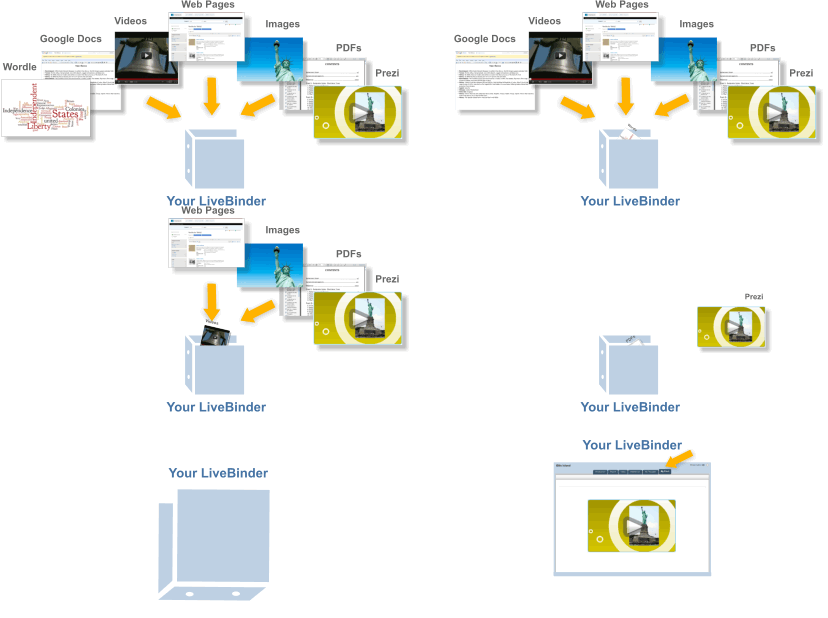
Livebinders allowss you to get the most from your iPad
LiveBinders app for iPad gives you quick access to all of the binders you've created and those you've collected on your custom shelves. This version uses Safari browser to present and edit these binders.
Make an impression: LiveBinders lets you integrate the content you use and collect in the cloud. Create virtual binders of information on any topic. Add your own text to further personalize your resources. Impress your colleagues, teachers, and clients with an elegant way to present information that can easily be updated and accessed from any location at any time. You can now completely avoid those out-of-date, cumbersome email attachments.


1 . Evernote turns the iPhone, iPod Touch and iPad into an extension of your brain, helping you remember anything and everything that happens in your life. From notes to ideas to snapshots to recordings, put it all into Evernote and watch as it instantly synchronizes from your iPhone to your Mac or Windows desktop. See why millions of people worldwide use Evernote:

Key features of Evernote:
Create text, photo and audio notes
Auto-synchronize your notes to your Mac, PC, and Web
Magically makes text within snapshots searchable
Mark notes as "Favorite" for quick access
All notes include geo-location information for mapping and search
✶ Premium Feature: File Synchronization - add, sync, access, and share files (PDF, Word, Excel, PPT, and more) among the different versions of Evernote you use

Here are some ways to use Evernote for your personal and professional life:

 For research and class notes
 To capture blog ideas and design inspiration
 To stay in-sync with your desktop notes, web clips, and files
To snap photos of whiteboards and wine labels
 As part of your GTD system to help you stay organized
 To record voice memos


2 . Dropbox is a free service that lets you bring all your photos, docs, and videos anywhere. After you install Dropbox on your computer, any file you save to your Dropbox will automatically save to all your computers, your iPhone and iPad and even the Dropbox website! With the Dropbox app, you can take everything that matters to you on the go.

Read your docs or flip through your albums when you're out and about. Save photos or videos to your Dropbox and share them with friends in just a couple taps. Even if you accidentally leave your iPhone in a taxi, your stuff is always safe on Dropbox.

Features:
● Always have your stuff with you, no matter where you are.
● Add files to "Favorites" for fast, offline viewing.
● Easily save photos and videos to your Dropbox.
● Share your photos and docs with family and friends.
● Save email attachments straight to your Dropbox


duminică, 23 decembrie 2012

@LucianeCurator wish you all a Blessed Christmas and offer you a #Curation #ChristmasTree #edtech20 #pln

Dear friends I wish you all a Blessed Christmas with peace in your soul and happiness in your heart . May the coming year to make all your dreams come true and and all your wishes to be fulfield .
Today when I adorned for Santa Claus this online Christmas Tree with my favorite 20 Social Media Curation Tools I invite you to sit near fireplace and listening carols with me and my family .
Family @ xmas
imikimi - sharing creativity

I, Duma Cornel Lucian am happy finalist in Ipad eLearning Competition by eFrontLearning https://bit.ly/LucianeCurator
pleaseyoutoshareandrtcurationguestarticle and please help me to win a Ipad reading my article : Top 10 Startup Social Media Curation Tools for Social Learning in the Workpace ( Glogster EDU Symbaloo.com Scoop.itLearnist Pinterest MentorMob Mightybell springpad Zeen @so.cl . If you like the article after you read it, down of the page are social media sharing buttons ( facebook like , tweeet , share using social media channels )
Please leave a comment if you like this online Christmas Tree and also write what social media curation tools you like more and why 
                        I really want to decribe my top 20 soial media curation tools, but the Birth of Son of God is near the door and I develop and participated in many Christmas activities .Here you can see 
THE DIGITAL STORY OF THE NATIVITY
 listen beautiful Carols with soloists from Timisoara and my students . 

marți, 11 decembrie 2012

Top 10 #socialmedia free tools to brand yourself in 2013 #edtech20 #pln

via http://www.massmailsoftware.com/


I hope you liked 1st Social Media Curation Christmas Tree made for PLN http://bitly.com/LucianeCuratorwishyouMerryChristmas
Also I invite you to read my last blog from yestarday post and leave your feed-back : Top 10 social media curation tools to unleash the power of your ipad http://bitly.com/Top10iPadCurationedapps . See you all on twitter https://twitter.com/web20education and join and collaborate in 1st Social Media Curation Google+ Community https://plus.google.com/communities/100188349857613823793
I want to write this post today, 11 December 2012 when I celebrate 3 years since @web20education ( my Social Media, now Curation Restart Education Project ) joined twitter and now I am verry happy to collaborate with teachers worldwide and to be followed by 5360 people . In the same time I will begin again to tweet more related to new technologies ( I want to share daily on twitter my favorite 10 startup edtools or apps for web or for Ipad and for this reason I think you should follow me :) https://twitter.com/web20education ) . Also I will begin to use again my personal twitter account https://twitter.com/LucianeCurator/ . I make also my presentation on GlogsterEDU http://dumacornellucian.edu.glogster.com/lucian-father-social-media-curator-teacher-and-researcher/ and I make a Curation community in Google Plus where social media addicted teachers who want to became social media curators can join free
https://plus.google.com/u/0/communities/100188349857613823793
Like I write in my previous posts everyone want to make a killer presentation , or want to make social media online cards here but most of us search for a social media tools to make heard our social media presence and for this reason I will describe here my top 10 ten tools to make a professional online business card . Please tell me what tool do you like more and why or propose other tools leaving a comment,feed-back to blog posts. .


1. GlogsterEDU is the best edtool and for this reason I chose it my number 1 social media tool to brand myself . I am verry proud to be also 1st Romanian teacher selected GlogsterEDU ambassador who was invited by GlogsterEDU staff to participate at Intel Teach Essentials course in Prague http://bit.ly/prgessentials
Glogster EDU is the leading global education platform for the creative expression of knowledge and skills in the classroom and beyond. Glogster EDU empower educators and students with the technology to create GLOGS-online multimedia posters - with text, photos,videos,graphics,sounds,drawings,data attachments and more

2. My number 1 and favorite tool for all my social media presence is http://xeeme.com/Lucianecurator . This tool is managed by http://xeeme.com/axels the founder of awesome #da12social team http://www.digitalagendastrategy.eu/the-team/ where I am proud to be official member .
XeeMe is the fastest growing Social Presence Management software company. A Social Presence is the sum of all social profiles and accounts of an individual or brand. Since all social media activities are initiated from, or pointing back to that social presence, it is an individual's or brand's most important asset. A "XeeMe" lets users or brands organize their entire social presence, discover new networks and people and grow their presence and influence.XeeMe has the most comprehensive social presence analytics and the largest number of supported networks. XeeGraph provides a unique way to benchmark presence value and network relevance. XeeMe is free and will remain to be free. Additional business features or applications are provided as subscription service. The XeeMe team and its trained and authorized business partners are providing professional social presence building and customization consulting services.
3.Origin.al is a revolutionary new way to share your work. Origin.al shows projects and examples, is real-time and highly social, and recognizes that reputation, not affiliation, is now the key driver of a person's success.


4. Vizify helps you transform all those interesting impressions you make online into one definitive, multidimensional, graphical biography, without ever asking you to face a blank screen. It's the easiest, most sophisticated tool for showing the best of you online,all in one place https://www.vizify.com/lucianecurator
Last features
Background Images: Add more personality to your overview page.
Analytics: See how many people have viewed your bio or clicked your visual email signature.
Better Mobile: Zippier and prettier!
As more and more web surfing is going mobile, we’ll happy to report your bio will look awesome on iPhone (including 5) and Android.


5. Flavors.me allows anyone to create an elegant website using personal content from around the internet
Ideal for personal homepages, lifestreaming, splash and microsites, celebrity fan pages, commercial promotion, brand marketing – and everything in bettween. Follow me on http://flavors.me/LucianeCurator/


6. About.me is a free service that lets you create a beautiful one-page website that’s all about you and your interests. Upload a photo, write a short bio, and add your favorite social networks to show the world the big picture of you.A custom profile and a personal analytics dashboard http://about.me/web20education


7. Connect.me startup tool build a layer of trust for the social web

Connect.Me helps people and businesses get the most out of their social reputation.Connect.Me is the first app of the Respect Network, a P2P cloud network that puts users back in control of their digital identities, reputation, and data.When users join Connect.Me, they are protected by our ground-breaking Trust Framework and award winning data privacy policy. Follow me https://connect.me/LucianeCurator


 8. Geeklist is a startup tool built by developers, for developers... make geeks lives better every day.Geeklist is a vibrant platform for geeks to discover, connect and share the great work they have done. Developers worldwide, and their work, are nowhere to be found or discovered. Geeklist provide the global developer community a place to get credit where credit is due. A place to share their resources and links with each other, get High Fived, earn GeekCred, build their own connections and join in Geek communities, all in a completely integrated social manner.In Geeklist, companies get to share the great achievements of their engineering teams to a targeted community of developers. People who really understand and appreciate the hard work that went into building the company and products. Often influencers in their own companies, they get to bond and form a relationship with companies they love. What’s more, companies get tools to communicate with developers who wish to be contacted or hired.
Follow https://geekli.st/web20education


9. Zerply is startup tool who offer you a simple professional network focusing on your experience and talent while presenting you in the best possible way.
Features : 
Personal - Zerply helps to provide a more full picture of who you are as a professional, beyond your occupation title or job description.Simple - Zerply works the way you expect it to, no hidden settings, no Googling questions, we endeavour to keep things simple.
Open - In an effort to build new connections we keep an open network where clients, employers and professionals can all meet free of restrictions.
Free - Zerply believe that access and interaction in this day and age should be free, that’s why all our core features are free of charge. Follow http://zerply.com/LucianeCurator


10 . Workface is a leading-edge communication & relationship tool for talking to existing customers (and the new customers you want to create) across the Internet.
Features
Live Chat Software... Reinvented!Workface provides enterprise-level, on-demand live text, audio and video chat that can easily be installed on your website, social media, and beyond. It’s the alter ego of all that impersonal, old-fashioned live chat software.
Workface helps you to be there, ready to engage unknown buyers at the most crucial moment—when they’re considering your products and services.
Engage the social business way—personally, directly, immediately.
Customers have had it with nameless, faceless, call center chat and wait times in queues. If you aren’t ready to talk to the customer now... they’re gone! With Workface, your customers and prospects connect with you one-on-one when and where they are ready: in real-time. Your customers can find and click-to-connect with whomever they want as their next step in the buying process. Anonymously if they prefer.Social customers want control. Give it to them.
Social business is about authenticity, immediacy and relevance. People don’t want to connect with fictitious “live person Sarah”. Someone they can size-up before they decide to connect one-on-one. They want access to the person who’s really other side of the live chat button.
So give customers access. Let them size you up, with Workface.
http://workface.com/e/dumacornellucian


Blog curated by Lucian, father, Social Media Curator and teacher, http://xeeme.com/LucianeCurator ;http://bitly.com/LucianEDTech
Curator who win a IPAD in Global Competition with PLN help http://bitly.com/LucianeCuratorthankyoubecausewinIpad or simply a educator hwo teach special needs students how to integrate new technologies online web 2.0 and Social Media into the classroom http://checkthis.com/fvn/ . Follow https://twitter.com/lucianecurator and http://twitter.com/web20education . Now I write / describe weekly Top 10 http://teacherluciandumaweb20.blogspot.com/ ,and describe daily: curation edtools http://edtech20curationprojectineducation.blogspot.com/ ; startup edtools http://startup4edu.blogspot.com/ , ipad apps http://ipadappsineducationtomlearning.blogspot.com/ . Now I begin to blog also in romanian http://lucianesocialmediacuratorineducatie.blogspot.com/

sâmbătă, 10 noiembrie 2012

Kindly I invite to join my #globaled12 session : ICT4eTwinners Project, Smile Project and top 10 tools to develop a PLN

a
Thank you dear friends who joined my free #globaled12 session : ICT4eTwinners Project, Smile Project and top 10 tools to develop a PLN .  I am happy because were 31 attendes, but for everybody who can't participate click here or on next photo to see recordings and also here is my presentation .


ICT4eTwinners project Smile Project and top 10 tools to build a PLN - Presentation in #globaled12


 I had the pleasure to be involved in SMILE Project managed by European Schoolnet and for thie reason I launch ICT4eTwinners ( Innovation, Curation, Teach4eTwinners Project )
I was a online presenter for the first time in Global Education Conference in 2010 http://bitly.com/globaled10presenter and now I am happy because my seession was accepted again :) My presentation is scheduled Friday 8 p.m Bucharest time here and everyone is welcome to participate and add feed-back . If you want to join and obtain the link to my session please join our facebook event https://www.facebook.com/events/list#!/
events/397382353665893/ follow @LucianeCurator and add your comments and feed-back . I must told you that afer the session I will post here my presentation so stay tune :)
A FREE ONLINE EXTRAVAGANZA • NOVEMBER 12-17 organized by co-chair Steve Hargadon and co-chair Lucy Gray
A week-long virtual conference featuring general sessions and keynote addresses highlighting
ideas that inspire action in an increasingly connected world
WHAT
The conference consists of an online series of live webinars in a virtual conference format. The general
focus is on connecting individuals, classrooms, and organizations around the theme of global collaboration
in education. All sessions are recorded and archived.
WHEN
24 hours a day during International Education Week November 12-17, 2012
WHO
Students, educators, thought leaders, and organizations are involved as both participants and presenters.
WHERE
On the internet using the Blackboard Collaborate web conferencing platform
See the conference schedule here:
http://www.globaleducationconference.com/page/2012-sessions-and-schedule
COST AND REGISTRATION
Free; no registration is required
More The 2012 Global Education Conference Press Release - October 2012

A GlogsterEDU for my session :)


Your Name and Title: Teacher Duma Cornel Lucian

School, Library, or Organization Name: Scoala Gimnaziala Speciala Caransebes

Co-Presenter Name(s): Teacher Mineva Rositsa

Country from Which You Will Present: Romania / Bulgaria

Language in Which You Will Present: English

Target Audience (such as primary school teachers, high school administrators, students, etc.): Teachers, social media curators, researchers,

Short Session Description (one line): We will present here our research in 2 european projects : ICT4eTwinners project, SMILE Project and top 10 social media tools to build a PLN

Full Session Description (one paragraph minimum):

In XXI Century Education and around the social web new Social Media King is Curation who is about adding value for humans because only they can do what no computer can possibly achieve . The Internet Curator’s role is to seek on the web information related to a specic domain,fillter them, select them, organise, share, present them in a unique mode. For this reason we launch ICT4eTwinners project : Innovation, Curation, Teach for eTwinners where we collaborate and integrate new tools and apps useful for teachers and students in XXI Century Education . This is a eTwinning project launched after I was leader in community of practices 2 organized in SMILE Project . In our COP2 - Using social media in schools - whole school approach we have a team from 8 members who make a case study related to our theme
European Schoolnet (EUN) has been awarded an inaugural Digital Citizenship Research Grant by Facebook and for this reason they launched Social Media in Learning Education Project . http://leedu.eun.org/web/smile/home
This SMILE year-long project consists of three phases:
- An online learning laboratory for 100 teachers from the 30 member states of EUN's partnerships to investigate and embrace the educational opportunities social media offers.
- Research with the 100 learning laboratory participants to highlight trends and best practices for how social media is being used and can be used in classrooms.
- Broad dissemination of results of the research through EUN’s interactive portals for teachers as well as through European and international meetings and conferences.
Nowadays when informatics and science developed spectacular and the use of new online technologies aren’t regarded like a avangardist movement new tools and apps Web 2.0 and social media can bring a new dimension and can reform education around the world because electronic communication helps teachers and students to learn from each other. These technologies can stimulate discussion, open gateway to knowledge, promoting creativity and innovation for effective lifelong learning . Teacher and also students should have an entitlement to safe internet access at all times. Pulling Piaget and Papert , the use of participatory media tools in education is typically geared towards, creating a more student centered, adaptive environnement where learners can contribute to the course material, formulate and express their own insights and opinion, construct their own understanding of material by connecting concepts, to personal experience or current events, and learn from one another in collaborative environments .Web 2.0 , social media and other digital and online technologies are powerful and interesting tools, which open up new opportunities for everyone and for this reason teachers must learn how to use it in a creative mode and integrate in their classroom with students .

Websites / URLs Associated with Your Session:

http://bit.ly/ICT4eTwinnersProject ;

http://dumacornellucian.edu.glogster.com/cop2smile/

https://www.facebook.com/smileCoPs/info ;

teacherluciandumaweb20.blogspot.ro/2012/07/proud-to-be-leader-in-sm...

http://twitter.com/web20education

miercuri, 19 septembrie 2012

Top 10 Big #eLearning eNews for #backtoschool 2012 who can make you #socialmedia #Curation addicted #edtech20 #pln

                            
Dear friends today I plan to write about top 10 edtools for back to school 2012 in Curation Restart Education Project http://bit.ly/CredProject , https://twitter.com/web20education but I find this news this days and I want to share with you all,before I will describe 10 startup edtools and apps for #backtoshool 2012 .What news do you say is more interesting from top 10 and why ? Please leave comments and feed-back and I will promise you that this blog will offer in the future tools and apps who can open gateway through knowledge for teachers worldwide .Stay tune because I will describe also next weeks top 10 free startups who organize COURSES and MOOCS free in XXI Century Education education and every week I will blog top 10 edtools  .
Because GlogsterEDU invited me this year at Intel Teach Essentials in Prague http://bit.ly/prgesentials  I decided to make a glog where I describe 10 startup tools / appss . 
Now I want to invite you to see in my this glog last features and also please read on GlogsterEDU blog http://blog.edu.glogster.com/ last features for the best edtool for Creative Learning who just launch http://changedu.org/ Initiative and next features : 
· The Next-Generation Glog with mobile HTML5 - view Glogs on your iPad or any other HTML5-ready device.
· New dashboard design with Glog selection - "Simplicity" has been the motto; designing an interface that is user-friendly for all.
· New options when creating Glogs: 1 blank Glog and 4 basic templates for teachers to choose from - Start with a blank Glog, or choose one of the prepared templates.
· Glogpedia K12 library with Re-Glog templates & new categories - Filter by "Discipline" and "Subject" to get inspired.
· (Premium only) Unlimited access to new Glogpedia Library - 100s of templates and ideas ready for customization.


TNW Academy is the new online education and training chapter of The Next Web and offer free and paid online courses, covering everything from online marketing, and intuitive design to Q&A sessions, with well known entrepreneurs, who will share their knowledge and experiences . You can sign up for free online courses here http://thenextweb.com/academy/


1. EdFuture.Net Current/Future State of Higher Education . 

An Open Online Course.
In countries around the world, the transition to knowledge and service economies occurring rapidly. Competitive countries are no longer only those that have an abundance of natural resources, but also those with a highly educated populace. Higher education is increasingly recognized as a vehicle for economic development .
University leaders are struggling to make sense of how internationalization, the current economic conditions, and new technologies will impact their systems. Educators are uncertain of the impact of open educational resources, alternative accreditation models, de-professionalization of academic positions, and increased grant competitiveness. What is role of the academy in increasing national economic competitiveness while preserving the “vital combat for lucidity”  that defines an open democratic society .
This open online course will:
Explore the scope of change pressures that impact higher education systems globally
Detail how technology is impacting educational practices within higher education institutions
Consider how networks and digital technologies are influencing the balance of power in education and the expectations of the autonomous self-regulated learners driving the power-shift
Evaluate the impact of entrepreneurial and commercial activity in all levels of education: curriculum development, teaching, research, and accreditation
Detail how “big data” and analytics are impacting teaching, learning, and organizational decision making
Analyze and explore the new, distributed, leadership models being utilized by senior administrators
Evaluate how faculty and teaching practices are being impacted by new technologies and new teaching practices
Detail the impact of current economic conditions and globalization on the academy
Describe how the most innovative universities from around the world are responding to change pressures

Audience:
Different weekly topics will appeal to different audiences. Broadly, the course will be of interest to university administrators, faculty members, researchers, business leaders, students, government officials, and NGO’s that are active in higher education
Weekly Topics:
Change pressures: What is influencing higher education? (Oct 8-14)
Net pedagogies: New models of teaching and learning (Oct 15-21)
Entrepreneurship and commercial activity in education (Oct 22-28)
Big data and Analytics (Oct 29-Nov 4)
Leadership in Education (Nov 4-11)
Distributed Research: new models of inquiry (Nov 12- 18)
Weekly Format:
Each week will include readings, videos, and recommended activities. Live weekly presentations (2-3 each week) will be held with guest speakers.
The content will include peer-reviewed articles that articulate the landscape of educational change. Interactive activities will be included each week to give participants an opportunity to evaluate their understanding of the weekly content.
Course participants will also engage in recommended weekly activities (artifact creation and sharing) to contribute to the knowledge base of the weekly topic
Follow on twitter Course Hashtag: #CFHE12


2. Class2Go from Stanford University offering two free courses to the world: Computer Networking with Nick McKeown & Philip Levis and Solar Cells, Fuel Cells, and Batteries with Bruce Clemens.
 Here's what you will like about Class2Go:
Videos from Stanford professors with interactive in-video quizzes give you a chance to learn from Stanford professors and then practice what you've learned. 
Formative and summative exercises built on the Khan Academy's exercise framework provide new formats for taking your learning to the next level. 
Frame extracting allows you to preview and navigate to specific parts of videos. Scroll through extracted frames underneath a video to quickly find what you're looking for. 
Love discussion forums? Class2Go added Piazza forums to get people talking. 
 What do we like about class2go?
It's open. The platform is open source so that anyone who wants to can collaborate with us. Class2Go organizers would love to have others use the platform, or to work together with similar efforts in other places. 
It's portable. They believe strongly that valuable course content shouldn't be tied to any one platform. Documents are already portable; the videos are outside our system (on YouTube) and the assets themselves can be repurposed as faculty see fit. And many exercises and problem sets, instead of being trapped in a proprietary database, are in the Khan Academy format, so they can be used elsewhere. 
It's interoperable. Many parteners from Khan Academy, Piazza, YouTube, MySQL, Python Django, Amazon AWS, Opscode, and Github. 


3. Google Course Builder!
Course Builder is a experimental first step in the world of online education. It packages the software and technology used to build Power Searching with Google online course. Google hope you will use it to create your own online courses, whether they're for 10 students or 100,000 students. You might want to create anything from an entire high school or university offering to a short how-to course on your favorite topic.Course Builder contains software and instructions for presenting your course material, which can include lessons, student activities, and assessments. It also contains instructions for using other Google products to create a course community and to evaluate the effectiveness of your course. To use Course Builder, you should have some technical skills at the level of a web master. In particular, you should have some familiarity with HTML and JavaScript.
Google Course Builder design process has four simple steps, which get iterated multiple times:
Plan before you start.
Before you get into the details of creating your course, take 30 minutes to think about the following areas and write down your answers. Eventually, you'll spend much more than 30 minutes on planning; this initial time is to get you oriented in the right direction on all aspects of your course.
Develop the content without technology.
In the first parts of development you expand on the information you determined during the planning phase. After that, you get down to deciding precisely what you want students to learn and how you’ll get them to do that. You create a detailed set of objectives, ways you'll evaluate whether your students met those objectives, and develop the content for lessons, activities, and so on. When you're finished with this step, you have a "mock up" of your course that you can show to others to validate its appropriateness and to use when you get down to writing software, recording video, setting up email lists, and so on.
Implement the course with technology.
The first iteration of the theoretical development is now done. Now, it’s time to "implement" it. During this phase, you write the text content of your lessons, create videos, and modify the Course Builder software to implement assessments and activities. You also set up your groups, organize online office hours, arrange for teaching assistants, and do all that other fun stuff.
Pilot with your target audience.
We strongly encourage you to pilot your course by having people go through the entire course before you release it to actual students. You may find, as we have, that a large percentage of your work comes after the first pilot, when you see how people actually interact with your material. Be sure to leave enough time to make the necessary changes you discover while piloting.


4. Google Teacher Academy . Don't forget deadline is October 4th
This year I want to apply to be a Google Certified teacher, but for this reason I need money ( someone to offer me a grant ) to pay my travel and my own lodging to attend GTA . If you know someone who can help me to paricipate in USA at GTA contact http://xeeme.com/Lucianecurator/
About the Academy
The GTA is a FREE professional development experience designed to help primary and secondary educators from around the globe get the most from innovative technologies. Produced by CUE, each Academy is an intensive, two-day event during which participants get hands-on experience with Google's free products and other technologies, learn about innovative instructional strategies, receive resources to share with colleagues, and immerse themselves in a supportive community of educators making impact. Here is how past participants have described the GTA:
“The whole Academy was mind-blowing!”
“I left with a far greater impression of how much more there is to learn and how little I have actually mastered - but at the same time encouraged that with the help of all the amazing talent out there in the Google community that I can make a greater impact as a teacher.”
“I learned about so many Google tools that I had never encountered before (Moderator, Ngram, Apps Script etc.) and developed my understanding of so many tools that I use daily.
"My everyday work was impacted instantly.”
“What an amazing community of new GCTs. It was a pleasure to listen to and share ideas with so many passionate educators”
Alumni: Google Certified Teachers Educators who attend a Google Teacher Academy become Google Certified Teachers (GCTs). GCTs are:
Outstanding educators with a passion for using innovative technologies and approaches to improve teaching and learning.
Creative leaders who understand opportunities and challenges, and have a desire to help empower others in their local community and beyond. Ambassadors for change who model high expectations, life-long learning, collaboration, equity, and innovation.After the GTA, GCTs are expected to:

Develop a "Personal Action Plan" outlining a project they will complete
Lead at least three local professional development activities over the course of 12 months.
Successfully deploy one school on to Google Apps for Education.
Actively participate in the GCT online community.
Share the impact of their work with other Google Certified Teachers through mid-year and end-of-year reflection.In addition to two free days of training, GCTs get:
Access to the GCT Online Community.
Opportunities to give feedback to Google on educational uses of tools.Invitations to join Google at special events.The right to post the GCT web badge on their website or blog.
Applicants
Approximately 50 innovative educators from around the world are selected to attend each GTA based on the merits of their online application. Applicants include classroom teachers, curriculum specialists, technology specialists, librarians, administrators, professional trainers, and other education professionals who actively serve the world’s primary and secondary teachers and students.Participants are selected based on their professional experience, their passion for teaching and learning, and their successful use of technology in school settings. GTA are particularly interested in educators who actively provide mentoring or training for other teachers.
Participants must provide their own travel, and if necessary, their own lodging. The GTA is designed to create a strong professional community of educators who support each other over the course of a year, so if you are not local, you must be willing to be resourceful with all technologies to facilitate communication and collaboration with your fellow Google Certified Teachers.

Application Requirements
All applications to the Google Teacher Academy must be submitted using  online form. GTA only accept applications submitted before the deadline. The application includes short answer questions and a video. The original one minute video must be on one of the following topics: "Motivation and Learning", "Classroom Innovation," or “Positive Change in My Community.” Be as creative as you like, but make sure you follow copyright laws. Once you create the video, you must post it on the Web to YouTube, then paste the specific URL for your video into the appropriate field on the application.They will not accept videos by email, and will not watch more than one minute of video. GTA realize that you may not have produced a video before and that you may not own video equipment, but we are confident you can find a way to meet this requirement. You do not need to be in the video, but please do not submit videos produced for another project or videos created by others. Do not include any copyrighted images, footage, or music.(For more information visit the copyright education site on YouTube.If you have applied to the GTA in the past you can reuse the same video if you wish.


5. Next Edu Guru launch by Youtube and KhanAcademy
YouTube Next EDU Guru is a development program providing training and mentoring to the next generation of educational content creators, from math whizzes to grammar buffs. Selected participants will take part in a special training camp, held in conjunction with the Khan Academy, at YouTube HQ in October 2012.Next EDU Guru is available in the US, UK, Australia, Canada, Ireland, and New Zealand. Read more about the program guidelines.


6. Wiziq Academic : Free WizIQ PRO Membership for K-12 and College Educators
 What do you get with your free membership?
Create and deliver courses
Create synchronous and asynchronous courses with tools designed specifically for teachers. Add compelling courseware with videos, PowerPoint presentations, Word documents, and PDFs. Deliver courses in the WizIQ Virtual Classroom and connect in real-time with students from anywhere in the world.
Enjoy all the premium features of WizIQ
Use the WizIQ Virtual Classroom to conduct live online classes, flip your classroom, hold office hours, or meet students online for regular discussions and homework help. Take full advantage of every WizIQ feature, including screen-sharing, polling, video-conferencing, shared whiteboards, and more.
Record and archive all your online classes
Your free account includes 15 GB of storage for class recordings, which means approximately 1500 recorded classes that your students can review at their own pace. We host recordings in the cloud, for free.


7. edTed.com Lessons worth sharing
TED-Ed Tour
Use engaging videos to create customized lessons.
You can use, tweak, or completely redo any lesson featured on TED-Ed, or create lessons from scratch based on any video from YouTube.
Watch the video to learn how.

View Full Lesson

Lesson Highlights
Lesson Title
Use this title or choose your own.
Press Play
Video can play while working through lesson.
Meet the Creators
View profiles of the experts who made this lesson.
Quick Quiz
Five multiple choice provided. Can choose which to include.
Think
Short answer questions. Select which to include.
Dig Deeper
Resources for discovering more about the topic.
What does “Flip This Lesson” mean?
"Flipping" a video allows you to turn a video into a customized lesson that can be assigned to students or shared more widely. You can add context, questions, and follow-up suggestions to any video on TED-Ed or YouTube. Learn more about flip teaching.


8.Treehouse is the best way to learn how to design and develop for the web and iOS
Features :
Watch videos. Take quizzes.
Over 550 high quality training videos. Test your knowledge through quizzes and code challenges.
Upon completing quizzes and code challenges you will earn badges to prove your achievements and progress through the Treehouse course library.


Unlock your potential
Build the skills to land you your dream job, that promotion or build an app and launch your own startup.


DellChallenge.org Starting September 13,  will act as an educational innovation community where university students, academia, primary/K12 educators, mentors, judges and fellow students from around the globe can network, share best practices and inspire each other to create educational change. Plus, DELL offer $30,000 in prizes and awards to help students put their ideas into action!
Any undergrad or graduate student in any field of study, from any country, can enter our challenge.
This isn't your traditional business plan competition—students can enter a project at any stage, whether they've just thought of an idea or are already running an organization. Both nonprofit and for-profit ideas are eligible.
How to Enter
To enter the Dell Education Challenge, student innovators must submit their Project Idea with the minimum required fields, by October 24, 2012.
You will need to register or login and complete you Student Profile to get started.
Semi-Final Round: Virtual Pitch
20 semi-finalists selected by DSIC-certified judges will receive 1:1 mentoring from a DSIC-certified mentor to perfect their pitches
Each semi-finalist team will be required to submit a project roadmap and video pitch.
DSIC will provide detailed instructions to semi-finalists.
Final Round: Global Awards and lIve Pitch
The finalists will be flown to Austin in December 2012 for Dell World, a gathering of more than 4,000 Dell global customers for networking and mentoring. Plus, they'll compete live in front of our judges for these cash awards to advance their educational innovation.
$10,000 Grand Prize
$5,000 Second Prize
$2,500 Third Prize
In addition, they will receive ongoing advisory support from the DSIC Family Office.
Plus: Promising Projects
Dell will select a handful of additional "Promising Projects" and provide cash awards from $500 to $2,000 designed to enable field testing of the most promising ideas within the upcoming 2013 school year.


StudyHall is a peer-to-peer learning platform for classmates to share and connect. StudyHall flips the traditional learning model, putting collaboration and productivity tools in the hands of students. Combining live interactive features with helpful question and answer course pages, StudyHall revives classroom discussion when students are back in the dorm room and in need of help. It's a social academic platform that engages students and enhances the classroom experience.StudyHall is taking the populist approach to online education and creating a tool that is built only for students. In the platform, students will have access to an academically charged environment that only students can access. StudyHall gives college students what they should have had a long time ago: a sophisticated online instrument that enables them to collaborate with trusted peers, without worrying about the noise of other networks, professors and privacy issues.

Welcome in the New Tech Age where Curation is Social Media King http://bit.ly/CurationKing tell you Lucian a normal teacher who work a lot to became Social Media Curator http://xeeme.com/LucianeCurator ; http://www.scoop.it/u/web20education Now I want to implement Curation Restart Education Project http://bit.ly/credproject ; and for this reason I invite you to join and collaborate and follow http://twitter.com/web20education ; like http://web20education.bo.lt/credprojectfacebookpage. and get free our mLearning app http://web20education.bo.lt/credapp . Kindly I invite to read all my blogs daily http://bitly.com/bundles/web20education/1 and Subscribe free to my research blogs http://bitly.com/feededtech20blogs . I write weekly in my 1st research blog about top 10 tools http://bit.ly/myresearchblog , In my curation Blog http://bit.ly/curationblog I write daily about startup curation tools : I also write in http://bit.ly/startup4edublog about startup edtools and apps and here I describe mLearning apps http://bit.ly/mLearningblog

Featured Post

For #notatiste15 : Top 100 presentations #elearning #edtools and #ipad apps to emaze a global audience like #iste2015

Between 28 june and 1 july in PHILADELPHIA, USA  is organized ISTE’s Annual Conference and Exposition  https://www.isteconference.org/201...

Totalul afișărilor de pagină